
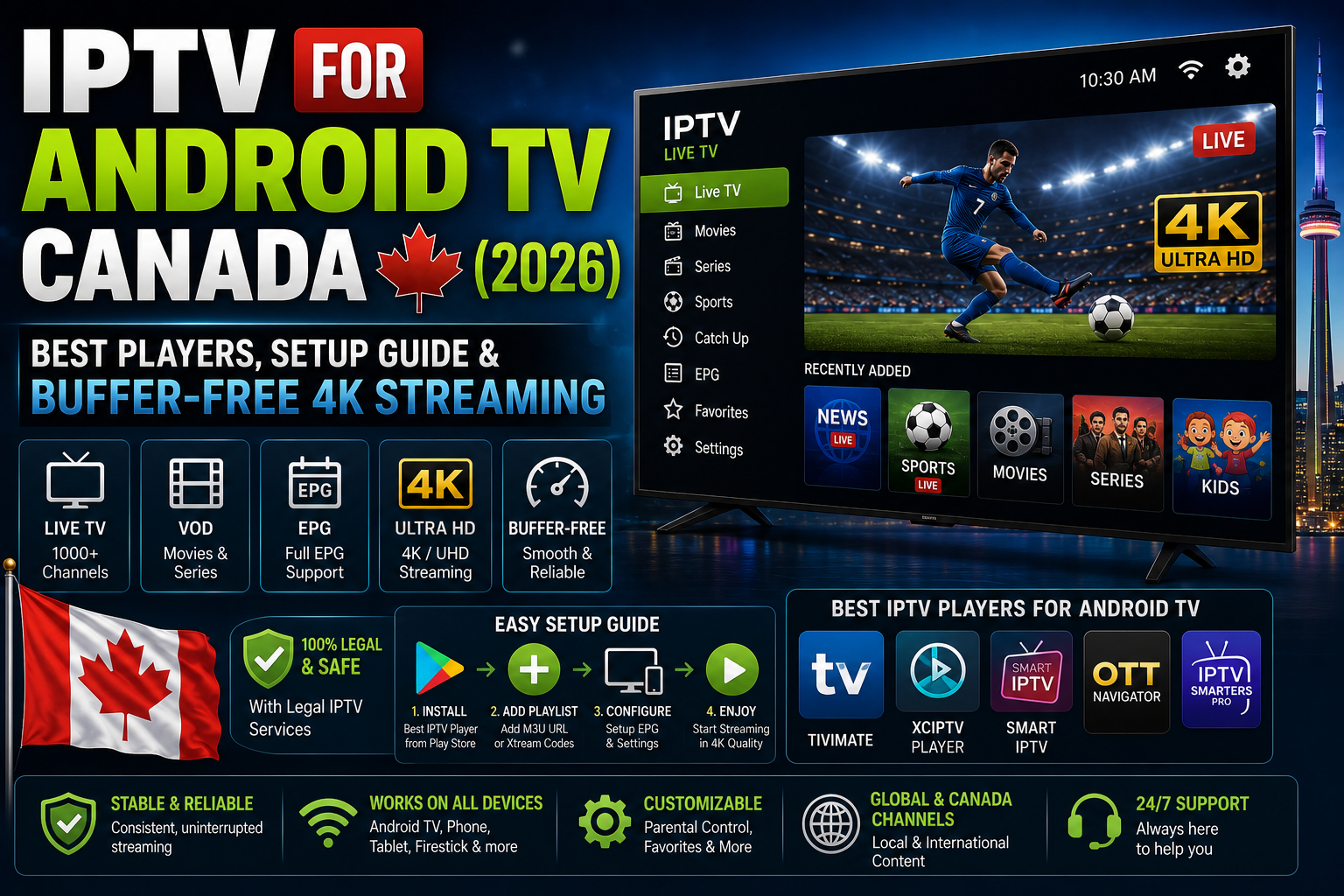
Setting up IPTV for Android TV Canada delivers thousands of live channels, local networks, and regional sports at a fraction of traditional cable costs. By using a top player like TiviMate alongside a reliable service, Canadian cord-cutters can stream TSN, Sportsnet, and global live TV seamlessly.
What is IPTV and How Does it Work on IPTV for Android TV Canada?
Internet Protocol Television (IPTV) delivers live TV channels, Video on Demand (VOD), and catch-up TV over the internet rather than traditional cable or satellite signals. On Android TV, IPTV operates through a dedicated player application that parses M3U playlists or Xtream Codes APIs, rendering live streams via HLS or MPEG-TS video protocols.
Unlike proprietary set-top boxes from legacy providers, Android TV offers a flexible open ecosystem. You install an IPTV player application from the Google Play Store, enter your subscription credentials provided by your service, and your TV immediately loads an Electronic Program Guide (EPG) filled with live programming.
+------------------+     +--------------------+     +------------------------+
|  IPTV Provider   | --> | IPTV Player App    | --> | Android TV Device      |
|  (M3U / Xtream)  |     | (TiviMate/Smarters)|     | (NVIDIA Shield/Sony)   |
+------------------+     +--------------------+     +------------------------+
Why Android TV is the Best Platform for IPTV Canada
Android TV and Google TV are the gold standard for IPTV streaming in Canada due to superior native hardware decoding, dedicated ethernet support, full Google Play Store access, and seamless remote control integration.
Unlike closed operating systems like Samsung Tizen or LG webOS, Android TV natively supports advanced IPTV features like multi-screen viewing, automated EPG syncing, background updates, and custom video player integration (such as ExoPlayer or VLC).
Key Advantages of Android TV for Canadian Cord-Cutters
- Native App Support: Direct installation of premier applications like TiviMate, IPTV Smarters Pro, and XCIPTV without sideloading.
- Hardware Video Decoding: Smooth 4K HDR at 60fps playback utilizing H.265/HEVC and AV1 codecs.
- Flexible Networking: Built-in Gigabit Ethernet ports on high-end streaming boxes prevent Wi-Fi interference.
- Storage Expansion: Easily plug in USB flash drives or SSDs for local Live TV recording.
Best IPTV Players for Android TV Canada
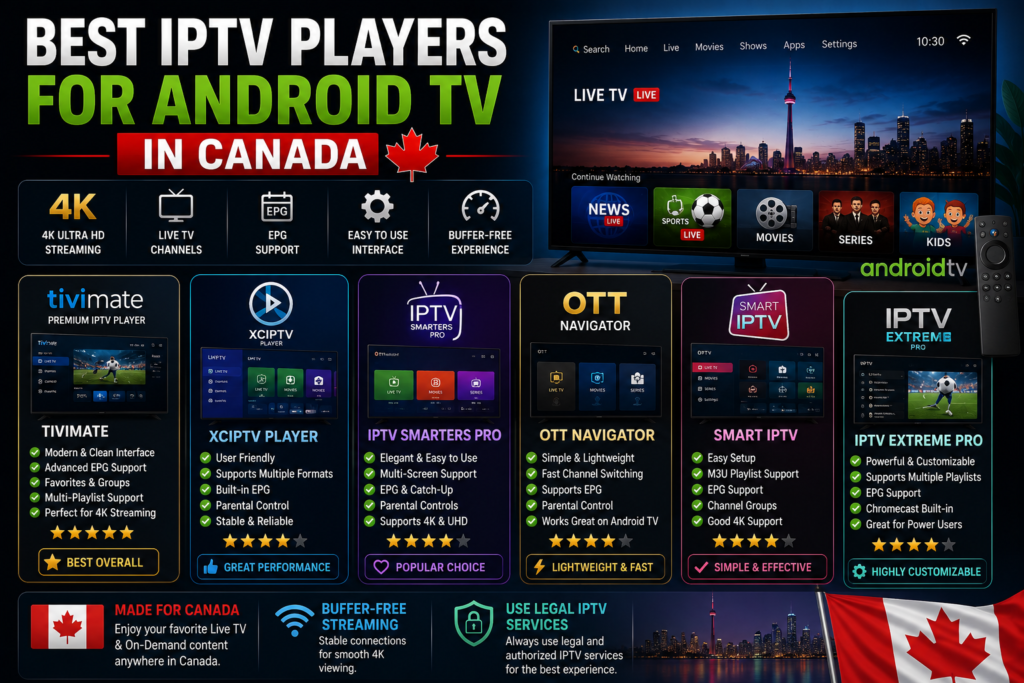
An IPTV player acts as the interface engine that formats, organizes, and renders your channel playlist. The app you choose dictates how smooth your navigation, channel switching, and EPG experience will be.
| IPTV Player | Best For | EPG Support | Catch-Up TV | Multi-Screen | Free vs Paid |
| TiviMate | Ultimate TV Experience | Excellent | Yes | Up to 9 screens | Free / $11.99/yr Premium |
| IPTV Smarters Pro | Multi-Device Simplicity | Good | Yes | Up to 4 screens | Free / Paid Upgrade |
| XCIPTV | Clean VOD & Live UI | Good | Yes | Dual-screen | Free |
| Sparkle TV | Native Android TV Look | Excellent | Yes | Up to 4 screens | Free / Paid Lifetime Option |
| Televizo | Low-Spec Android Devices | Good | Yes | No | Free / Premium Upgrade |
1. TiviMate IPTV Player (The Undisputed #1)
TiviMate is engineered specifically for Android TV remote controls. It offers a interface identical to high-end digital cable boxes, complete with fast channel switching, category management, automated EPG updates, and customizable multi-view modes.
2. IPTV Smarters Pro
A versatile multi-platform app with clean separation between Live TV, Movies, and Series. It excels at managing large VOD catalogs and supports multiple login profiles for households sharing an account.
3. Sparkle TV
A modern competitor designed around Android TV Leanback guidelines. It provides full integration with system-level TV sources, timeshift support, and clean recording schedules onto external network storage (NAS).
How to Set Up IPTV on Android TV (Step-by-Step Guide)
Setting up an IPTV subscription on Android TV requires under five minutes when using the Xtream Codes API method.
1.Install Your Chosen Player:Use Google Play Store for quick setup.
Open the Google Play Store on your Android TV home screen. Search for TiviMate or IPTV Smarters Pro and click Install.
2.Add Your Subscription Playlist:Xtream Codes API is faster and less prone to typos than M3U URLs.
Open the app and select Add Playlist. Choose Xtream Codes API as the connection type.
3.Enter Login Credentials:Copy exact characters from your provider email.
Input the Server Address (URL), Username, and Password provided by your IPTV subscription host. Click Next or Include VOD.
4.Sync Electronic Program Guide (EPG):Ensures channel listings and TV schedules display correctly.
Allow the app 30-60 seconds to download channel lists and EPG schedules. Once complete, click Done to load your live cable grid.
Configuring Xtream Codes API vs M3U Playlist URLs
Using Xtream Codes API is superior to M3U URLs for Android TV setups because it automatically categorizes Live TV, VOD, and EPG feeds while updating channel links dynamically in the background.
Xtream Codes API Structure:
Server URL: http://provider-domain.com:8080
Username:   your_username_here
Password:   your_password_here

M3U Playlist URL Structure:
http://provider-domain.com:8080/get.php?username=your_username&password=your_password&type=m3u_plus&output=ts
Expert Tip: Never share your raw M3U or Xtream API credentials online. Most Canadian IPTV providers lock account usage to a single active IP address at a time; logging in simultaneously from two separate locations will cause immediate stream freezing or account suspension.
Essential Hardware: Top Android TV Boxes for Canadian Viewers
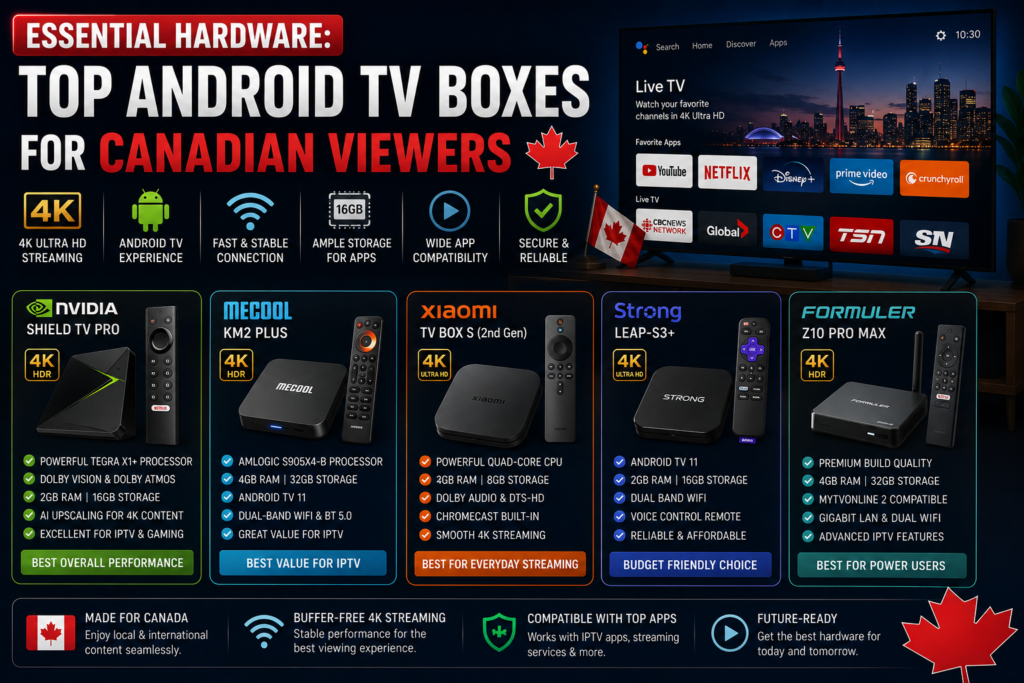
The underlying processing power of your streaming device dictates whether high-bitrate live sports play smoothly at 60fps or stutter.
Chromecast with Google TV. Source: Silicon Computers / Google Chromecast with Google TV HD – Silicon Computers
Top Canadian Android TV Hardware Comparison
| Device | Processing Power | Max Resolution | Ethernet Port | Ideal For |
| NVIDIA Shield TV Pro | Extreme (Tegra X1+) | 4K HDR @ 60fps (AI Upscaling) | Gigabit Built-In | Power users, 4K Sports, PVR Recording |
| Chromecast with Google TV (4K) | Moderate | 4K HDR / Dolby Vision | Needs Adapter | Secondary TVs, budget setups |
| Sony / TCL Smart TVs (Android OS) | Varies by TV model | Native 4K | 100Mbps Built-In | All-in-one cable-free rooms |
How to Fix IPTV Buffering in Canada: ISP Throttling & DNS Tweaks
IPTV buffering in Canada is primarily caused by internet service provider (ISP) throttling during peak broadcast hours, congested default ISP DNS servers, or unstable 2.4GHz Wi-Fi connections.
1. Defeat ISP Throttling with a Canadian-Optimized VPN
Major Canadian ISPs (including Bell, Rogers, Telus, and Shaw) actively inspect unencrypted media traffic. When high-bandwidth video streams are detected during live sports broadcasts, ISPs artificially restrict speed to prevent network overload.
Using a secure VPN utilizing the WireGuard protocol encrypts all data packets. Your ISP can only see encrypted bandwidth usage, preventing targeted streaming throttling. Always connect to a local Canadian VPN server (e.g., Toronto, Montreal, or Vancouver) to maintain low ping and preserve local channel access.
[Android TV Box] --(Encrypted WireGuard Tunnel)--> [Canadian VPN Server] --> [IPTV Stream Host]
                                                              |
                                                    ISP CANNOT READ TRAFFIC
2. Switch to Public Cloudflare or Google DNS
By default, your router uses your ISP’s custom DNS servers, which can stall domain routing requests for live media streams.
- Cloudflare DNS: Primary
1.1.1.1| Secondary1.0.0.1 - Google Public DNS: Primary
8.8.8.8| Secondary8.8.4.4
3. Hardware Tweaks for Zero Buffering
- Use Ethernet over Wi-Fi: Direct Cat6 cable connection provides constant 100Mbps+ throughput without packet loss.
- Select 5GHz Wi-Fi: If wired internet isn’t an option, switch your Android TV Wi-Fi setting from 2.4GHz to the 5GHz frequency band to minimize home interference.
- Adjust Buffer Size in TiviMate: Navigate to
Settings > Stream > Buffer Sizeand select Large or Very Large to store a buffer ahead of real-time playback.
Canadian Sports & Local News Coverage on IPTV
Canadian cord-cutters require uninterrupted access to national sports broadcasting networks and regional news feeds across all provinces.
                    +--------------------------------+
                    | Canadian IPTV Channel Coverage  |
                    +--------------------------------+
                                    |
        +---------------------------+---------------------------+
        |                                                       |
+---------------+                                       +---------------+
|    Sports     |                                       |     News      |
+---------------+                                       +---------------+
| TSN 1-5       |                                       | CBC News      |
| Sportsnet HD  |                                       | CTV Local     |
| RDS / TVA     |                                       | Global News   |
+---------------+                                       +---------------+
Pro Tip for Canadian Sports Fans: Ensure your IPTV player app has hardware video decoding enabled (
Settings > Video > Decoder > Hardware). Regional sports channels broadcast live games at 60 frames per second; software decoding will cause frame dropping and motion blur during fast puck or ball movement.
Android TV vs Amazon Firestick for IPTV in Canada
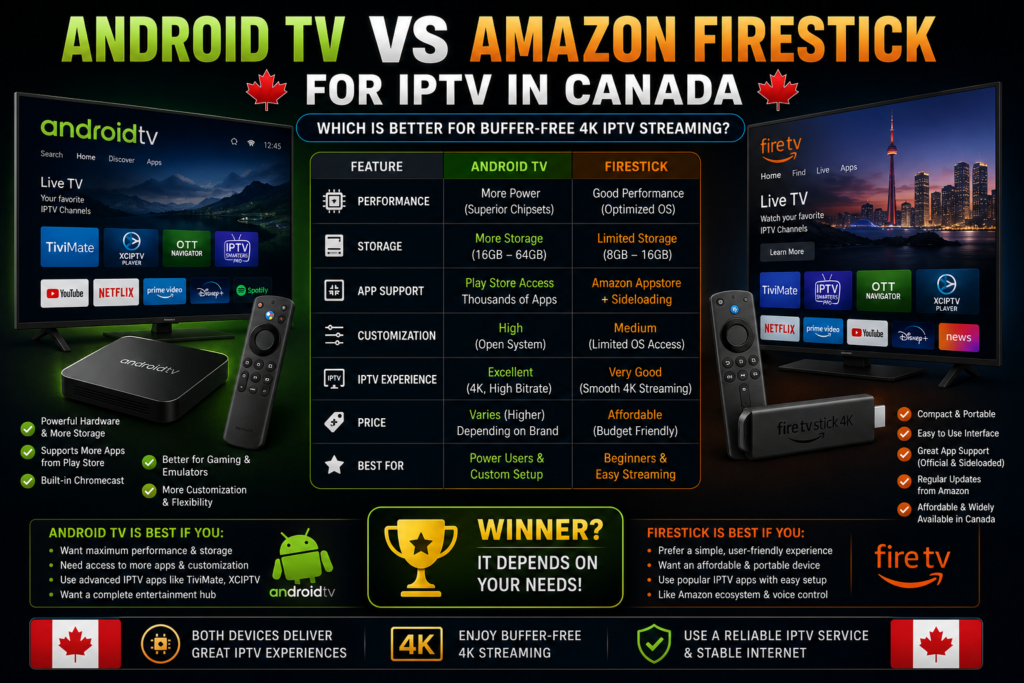
While the Amazon Firestick is built on Fire OS (a modified version of Android), native Android TV devices offer a cleaner, ad-free ecosystem far better optimized for dedicated IPTV viewing.
| Feature | Android TV / Google TV | Amazon Firestick (Fire OS) |
| Google Play Store Access | Direct Native Access | Restricted (Requires Sideloading) |
| Home Screen Interface | Clean, App-focused | Heavy Amazon Ads & Sponsored Content |
| Hardware Performance | High-end options (NVIDIA Shield) | Compact dongle hardware |
| External USB Storage | Plug-and-Play native support | Requires OTG adapter cables |
| Custom Launcher Support | Easy to replace | Heavily blocked on recent Fire OS versions |
Common Mistakes to Avoid with IPTV on Android TV
Avoiding foundational setup mistakes ensures uninterrupted streaming and protects your security.
- Mistake 1: Relying on Wi-Fi for 4K Live Sports. Wireless signals drop packets, causing momentary buffering loops during live broadcasts.
- Mistake 2: Buying Pre-Loaded Android TV Boxes. Cheap, unbranded generic Android boxes (often running mobile phone Android OS rather than official Android TV OS) frequently contain pre-installed malware and lack Widevine L1 DRM clearance.
- Mistake 3: Using Free Public IPTV Playlists. Free M3U lists online are shut down within hours and often harvest user IP address details.
- Mistake 4: Leaving HLS / MPEG-TS Settings on Default. If audio and video fall out of sync, toggle your app’s stream output format setting from MPEG-TS to HLS (or vice versa) inside playlist settings.
Frequently Asked Questions (FAQs)
1. Is IPTV legal to use on Android TV in Canada?
IPTV as a technology is legal in Canada. Utilizing software players like TiviMate or IPTV Smarters on Android TV to stream authorized content is completely legitimate. However, accessing unauthorized copyright-protected cable channels through unlicensed third-party providers breaches Canadian copyright laws.
2. What internet speed do I need for IPTV on Android TV in Canada?
For reliable buffer-free streaming, you need a minimum stable connection speed of 25 Mbps for 1080p HD and 50 Mbps+ for 4K Ultra HD broadcasts.
3. Do I need a VPN for IPTV on Android TV in Canada?
Yes, using a fast VPN in Canada is recommended. Canadian ISPs actively throttle media streaming protocols during high-traffic sports events, and a VPN prevents this targeted speed reduction while protecting your online privacy.
4. Which is the best overall IPTV player app for Android TV?
TiviMate IPTV Player is widely recognized as the single best app for Android TV due to its optimized remote control navigation, rich TV guide interface, and advanced recording features.
5. Can I record live TV channels on my Android TV box?
Yes. Players like TiviMate and Sparkle TV allow you to record live broadcasts directly onto your Android TV box’s internal storage, a USB drive, or a local Network Attached Storage (NAS) drive.
6. Why do channels freeze or loop continuously?
Channel freezing or looping occurs when the server streaming slot drops connection due to bandwidth congestion, or when your ISP throttles the incoming data stream. Toggling your VPN connection or switching stream output formats often resolves this.
7. What is the difference between M3U URLs and Xtream Codes API?
An M3U URL is a single text file containing long server links to channels. Xtream Codes API uses a structured server login (URL, Username, Password) that categorizes channels dynamically and loads faster.
8. How do I install TiviMate on Google TV devices?
Open the Google Play Store on your Google TV home screen, search for “TiviMate”, select install, and launch the app to enter your playlist connection details.
9. Can I use my IPTV subscription on multiple Android TV devices at once?
This depends strictly on your subscription provider. Standard plans usually allow one active connection at a time; running a second device simultaneously will cause stream errors unless you purchase a multi-room account.
10. How do I fix EPG guide data missing in TiviMate?
Navigate to Settings > EPG > Update EPG inside the app settings. If the guide still fails to load, verify that your service provider’s EPG source URL is active and correctly linked in your playlist settings.
11. What is the difference between Android TV OS and standard Android mobile OS?
Android TV OS is purpose-built for big-screen televisions and remote controls with custom “Leanback” navigation. Standard Android mobile OS is designed for touchscreens and performs poorly on home televisions.
12. How do I clear app cache on Android TV if IPTV becomes sluggish?
Go to Android TV Settings > Apps > See All Apps > [Select Your IPTV Player] > Clear Cache. This deletes temporary storage files without clearing your saved channels.
13. Does IPTV support surround sound (Dolby Digital 5.1)?
Yes, provided your IPTV service broadcasts the channel with multi-channel audio pass-through enabled and your Android TV is connected to a compatible soundbar or AV receiver.
14. What is the best hardware decoder setting for Android TV IPTV apps?
For modern devices like the NVIDIA Shield or Chromecast with Google TV, select Hardware (HW) Decoder in your player settings for optimal GPU acceleration and low power usage.
15. How do I set up Cloudflare DNS on Android TV?
Go to Android TV Settings > Network & Internet > Network Settings, set IP settings to Static, and input 1.1.1.1 as DNS 1 and 1.0.0.1 as DNS 2.
Conclusion
Maximizing IPTV for Android TV Canada boils down to pairing performance hardware with robust software. By deploying a top-tier device like the NVIDIA Shield or Chromecast with Google TV, running TiviMate, and shielding your connection against ISP throttling with a secure WireGuard VPN, you unlock an intuitive, buffer-free cable alternative optimized for Canadian live TV and sports streaming.


No Responses